
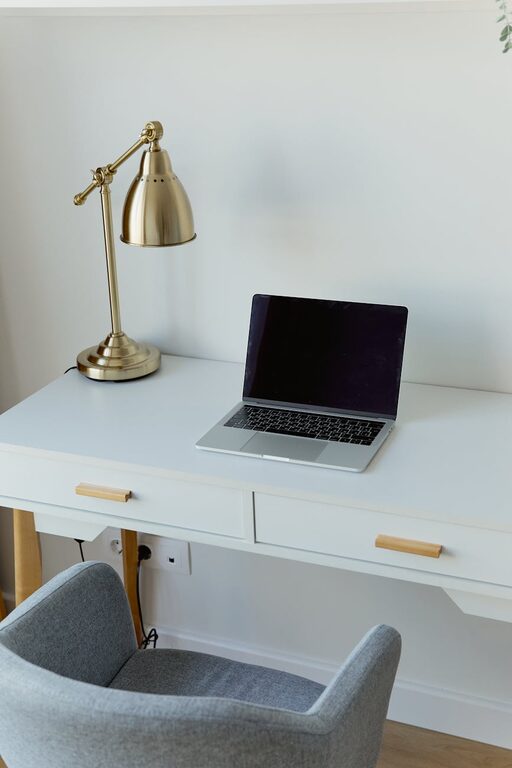
Creating a home office that is both comfortable and productive can significantly enhance your work-from-home experience. Whether you’re working remotely full-time or occasionally tackling tasks at home, a thoughtfully designed workspace helps maintain focus, reduces stress, and improves overall efficiency. Here are some practical tips to set up a home office that supports your best work.
Choose the Right Location
Find a Dedicated Space
Selecting a specific area in your home for work helps separate professional tasks from personal life. Ideally, choose a quiet spot with minimal distractions, such as a spare room or a corner in a less trafficked area.
Consider Natural Light
Natural light positively influences mood and energy levels. Position your desk near a window if possible, but be mindful of glare on screens. Use curtains or blinds to control brightness throughout the day.
Prioritize Ergonomics
Invest in a Good Chair
An ergonomic chair with proper lumbar support promotes good posture and comfort during long work hours. Adjustable height and armrests enable customization to your body’s needs.
Position Your Desk and Equipment
Your desk should allow your feet to rest flat on the floor, with knees at a 90-degree angle. Set your computer monitor at eye level to avoid neck strain. Keep essential items within easy reach to minimize unnecessary movements.
Organize for Efficiency
Declutter Regularly
A tidy workspace reduces distractions and stress. Keep only necessary items on your desk and store supplies in drawers or organizers.
Use Storage Solutions
Shelf units, filing cabinets, and desk trays help manage papers and equipment. Label storage containers to quickly locate items when needed.
Create a Pleasant Environment
Add Personal Touches
Decorate with items that inspire and motivate you, such as plants, artwork, or photos. Plants also improve air quality and create a calming atmosphere.
Control Noise Levels
Consider noise-cancelling headphones or white noise machines if ambient sounds disturb you. Thick curtains and rugs can help absorb sound as well.
Ensure Proper Lighting
Combine Natural and Artificial Light
In addition to natural light, use adjustable desk lamps with soft white bulbs to reduce eye strain. Position lights to avoid shadows on your work surface.
Avoid Glare and Reflection
Arrange screens and lights carefully to minimize glare, which can cause headaches and decrease productivity.
Establish Good Habits
Set Boundaries
Clearly define working hours to maintain work-life balance. Inform family members or roommates about your schedule to minimize interruptions.
Take Breaks
Regular breaks help refresh your mind and body. Use techniques like the Pomodoro method (25 minutes focused work, 5 minutes break) to stay balanced and alert.
Focus on Technology
Reliable Internet Connection
A stable, high-speed internet connection is essential for video calls, downloads, and cloud-based work.
Use Quality Equipment
Invest in a good keyboard, mouse, and headphones to improve comfort and efficiency. Keep cables organized to avoid clutter and accidents.
Maintain Air Quality and Temperature
Ventilation
Fresh air improves concentration and reduces fatigue. Open windows when possible or use an air purifier.
Control Temperature
A comfortable room temperature between 68–72°F (20–22°C) supports focus. Use fans, heaters, or air conditioning as needed.
—
A well-planned home office supports your health, happiness, and work success. By considering ergonomics, lighting, organization, and environment, you can create a space that feels welcoming and keeps you productive throughout the day. Take the time to personalize your setup and develop good habits to make working from home a positive experience.